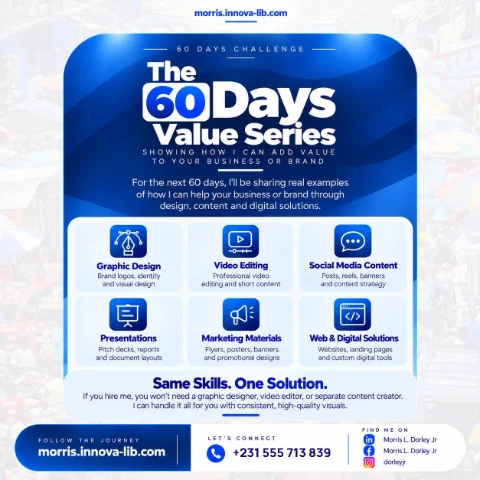

Day 20 of the 60 Days Value Series is about cloud computing. I design, migrate and run cloud systems on AWS, so your applications are fast, secure and always available, and you stop overpaying for servers you do not need.

Is your server costing you more than it should?
Many businesses and organizations run their website, their software or their records on a server that was bought for a bigger need than they have, or hosted by a provider whose price crept up every year. The server sits in a back room or a data center, the power flickers, the internet drops, a hard drive fails on a Friday and nobody can get to the data until Monday.
The cloud was built to solve exactly these problems. Instead of owning and babysitting equipment, you use computing power and storage from a large provider, you pay for what you use and the hard parts of keeping machines running are handled for you. Done well, the result is a system that is faster, safer, more reliable and, very often, much cheaper.
This post is for business owners, universities and schools, NGOs, banks and finance services, startups, software teams and anyone asking, "Should we move to the cloud, and who can do it properly?" If you are searching for cloud computing in Liberia or AWS migration in Africa, this is for you.
What is cloud computing, and what is AWS?
Cloud computing means using servers, storage, databases and other services over the internet instead of running them yourself. You do not buy the machines. You rent exactly what you need, for as long as you need it, and you can increase or decrease it at any time.
AWS, or Amazon Web Services, is one of the largest cloud platforms in the world. It offers hosting, storage, databases, security tools, monitoring and many other services that businesses of every size use. It is the platform I work on when I design, migrate and run cloud systems.
The cloud does not make problems disappear by itself. A badly planned cloud setup can be as expensive and unsafe as a bad server. What saves money and improves reliability is good design, which is what this service is about.
What results can cloud migration deliver?
I can point to a real project. I moved a university system serving thousands of users to the cloud, cutting running costs by 90% while keeping 99.9% uptime. That outcome did not come from simply copying a server into the cloud. It came from assessing what the system really needed, designing the right setup on AWS for it, migrating step by step with testing and then tuning the setup after launch.
Your results will depend on your system, but the same approach applies: understand what you have, design what you need, move it carefully and keep improving it.
What does the cloud computing service include?
The service covers everything needed to move to the cloud and run well there, from the first assessment to the daily care of the live system.
1. Cloud migration
Moving your systems and data to the cloud safely, with little or no disruption. A migration is planned in stages, each stage is tested and there is always a clear way back if something does not behave as expected. Your users should barely notice the move, except that things get faster and more reliable.
2. Architecture design
A clear, scalable design using the right AWS services for your needs and budget. Architecture decides how your application, database, storage and security fit together. A good design is simple, grows with you and does not pay for things you never use. A poor design is expensive on day one and painful to change later.
3. Hosting and deployment
Reliable hosting with smooth, repeatable deployments for your apps and sites. Deployment means getting a new version of your software online safely. A repeatable process means updates are routine instead of risky, and a problem can be rolled back quickly. This works hand in hand with the delivery discipline covered in Day 17 on project management.
4. Monitoring
Alerts and dashboards so problems are caught early, before users notice. Monitoring watches the health of your servers, your application and your costs. When something drifts outside normal, you or I are told straight away, instead of finding out from an angry customer.
5. Cost optimization
Right-sizing and cleaning up resources so you only pay for what you use. Cloud bills grow quietly: oversized servers, forgotten test machines, unused storage. Cost optimization means reviewing the bill regularly and removing waste. It is where much of the 90% saving on the university project came from.
6. Security and backups
Safe configurations, access control and backups built in from the start. That means only the right people can reach your systems, connections are protected, storage is not left open by mistake and your data is copied regularly so you can recover quickly. Cloud security is closely related to the work in Day 19 on backend development and cybersecurity consulting.
How does the cloud compare with running your own server?
- Cost. Your own server needs a large upfront purchase, power, cooling and repairs. The cloud charges for what you use and can be scaled down.
- Reliability. A single machine in an office is a single point of failure. Cloud platforms are built with backup systems and multiple locations.
- Growth. Adding capacity to your own server means buying and installing hardware. In the cloud it takes minutes.
- Backups. Cloud backups can be automatic and stored away from the main system, which protects you from theft, fire and equipment failure.
- Access. Cloud systems can be reached securely from anywhere, which helps teams, branches and remote work.
- Local problems. Power cuts and local internet problems affect a server in your office, but they do not take down a system hosted in a data center.
The cloud is not always the right answer for every system, and a proper assessment will tell you honestly when it is not.
Who is this service for?
- Universities and schools. Student portals, results and learning systems that need to stay online.
- Businesses with their own server. Companies tired of repairs, power problems and rising costs.
- Startups. Teams that want to launch quickly and pay only for what they use.
- NGOs and organizations. Groups that need safe, reachable systems across several locations.
- Finance and savings services. Systems where uptime and data safety are essential.
- Software teams. Developers who need repeatable deployment and monitoring.
- Anyone with a slow or unreliable website. Sites that go down or load slowly at busy times.
Why do cloud projects go wrong?
- Lifting and shifting without a plan. Copying an old setup into the cloud keeps the old waste and adds new cost.
- No cost control. Nobody watches the bill until it is a shock.
- Open settings. Storage or databases are left reachable by anyone.
- No backups. The data is in the cloud, so people assume it is safe.
- No monitoring. Problems are discovered by customers.
- Overbuilding. Expensive services are chosen that the project does not need.
- No one responsible. After the migration, nobody looks after the system.
A clear assessment, a right-sized design, built-in security and ongoing care prevent every one of these.
How does one person who does it all save you money?
On a typical cloud project, one person assesses, another designs, another migrates, another handles security and another looks after the system afterwards. Handover points are where mistakes and extra costs hide.
With one person, you get:
- One plan. The assessment, design, migration, security and monitoring are connected.
- One point of contact. You always know who to ask.
- Full-stack understanding. Because I also build the applications and manage the servers and networks, as in Day 12 on system administration and Day 13 on networking, the cloud setup fits how your system really works.
- Lower costs. The design is right-sized from the start, and the bill is reviewed regularly.
- Clear pricing. One scope and one quote.
This is the idea behind the whole 60 Days Value Series: the same skills, one solution, applied to the part of your business you are looking at today.
How do you know it is time to move to the cloud?
- Your server is old, slow or failing, and replacing it is expensive.
- Your website or system goes down when power or internet fails.
- Your hosting bill keeps rising and you are not sure why.
- You do not have reliable backups, or you have never tested them.
- You need to add users or locations quickly.
- You want to deploy updates without fear.
- You worry about the security of your data.
If several of these sound familiar, a cloud readiness assessment is a sensible first step.
What mistakes should you avoid when moving to the cloud?
- Moving everything at once. Migrate in stages and test each one.
- Ignoring the bill. Set budgets and alerts from day one.
- Skipping access control. Use strong passwords and multi-factor sign-in everywhere.
- Leaving defaults unchanged. Default settings are rarely the safest.
- Forgetting to test recovery. A backup is only useful if you can restore it.
- Choosing the biggest service for a small job. Match the tools to the real workload.
- Having no exit plan. Keep your data and configuration documented and portable.
What affects the price of cloud migration?
- The number and size of the systems to move.
- The amount of data and the number of users.
- How complex the current setup is.
- The security, backup and uptime levels you need.
- Whether you want ongoing monitoring and support.
- The time available for the migration.
I would rather give you a clear quote for the right scope than a vague number that changes later. Send me the details and I will explain what is needed and why.
How does it work?
- Assess. I review your current systems, costs and what the cloud can improve.
- Design. We plan a secure, scalable setup and a safe migration path.
- Migrate. Your systems move step by step, with testing as we go.
- Optimize. After you are live, I monitor, tune and reduce costs.
You receive a cloud readiness assessment, an architecture plan and cost estimate, the migration to AWS with testing, hosting and deployment, monitoring and alerts, security settings and backups, and documentation you can keep.
Which search terms does this post answer?
- cloud computing in Liberia
- AWS migration for African businesses
- how to reduce server costs
- cloud hosting in Monrovia
- move my website or system to AWS
- cloud backup and security for business
- AWS cloud engineer in Liberia
- cloud architecture for a startup
- how much does cloud migration cost
- hire a cloud engineer in Liberia
Ready to move to the cloud the right way?
You do not need one person to assess, another to design, another to migrate and another to keep watch. You need one capable person who understands how the whole system fits together and who stays to keep it fast, safe and affordable. That is what I offer.
Message me on WhatsApp at +231 555 713 839 or use the contact page, tell me about your system, and I will give you a clear plan and a clear quote. Same skills. One solution.
Frequently asked questions
What is cloud computing in simple words?
Cloud computing means renting computing power, storage and services over the internet instead of buying and running your own servers. You pay for what you use, you can add capacity in minutes and the provider looks after the physical equipment.
What is AWS?
AWS stands for Amazon Web Services. It is one of the largest cloud platforms in the world and offers hosting, storage, databases, security tools and much more. I design, migrate and run systems on AWS.
Why would I move from my own server to the cloud?
Common reasons are lower and more predictable costs, better uptime, easier backups, stronger security options and the ability to grow without buying new hardware. Your own server also depends on local power and internet, which the cloud does not.
Will moving to the cloud interrupt my business?
A careful migration is done step by step with testing along the way, so there is little or no disruption. The plan includes a safe way back if something does not work as expected.
How can the cloud reduce my costs?
By right-sizing resources so you pay only for what you need, switching off what is unused and choosing the right services for your workload. On one real project, I moved a university system serving thousands of users to the cloud and cut running costs by 90% while keeping 99.9% uptime.
Is my data safe in the cloud?
It can be very safe when the setup is done properly. That means correct access control, encrypted connections, safe configuration of storage and permissions and regular backups. Most cloud problems come from careless settings, not from the cloud itself.
Can you host my existing website or application?
Yes. Hosting and deployment cover websites, web applications, APIs and databases, with smooth and repeatable deployments so updates are safe and quick.
How much does cloud migration cost in Liberia?
The price depends on the number of systems, the amount of data, the complexity of the setup and the support you want afterwards. Send your details on WhatsApp at +231 555 713 839 and I will give you a clear quote for the exact scope.
Do you work with clients outside Monrovia and outside Liberia?
Yes. Cloud work is done online, so I assess, migrate and support systems for clients in Monrovia, across Liberia and across Africa.