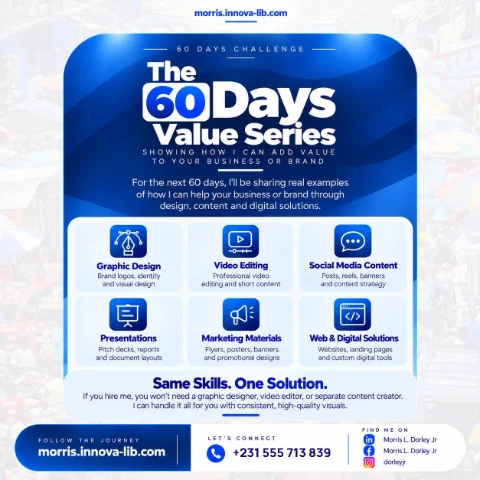

Day 21 of the 60 Days Value Series is about cybersecurity. I review how your websites, cloud accounts, networks and devices are protected, then fix the weak points and put simple habits in place, so your business and your customers' data stay safe.

What would happen if your accounts were taken over tomorrow?
Imagine your business email is hijacked and scam messages go out to your customers. Or your website is changed overnight. Or your files are locked and a message demands payment. Or your mobile money or bank details are used without your knowledge. For many small businesses, one incident like this means days of lost work, lost trust and money that is hard to recover.
Most people believe cybersecurity is only for big companies with technical teams. In reality, most attacks are automatic. They do not choose their victims. They simply look for easy weaknesses: a reused password, an old plugin, an open setting, a staff member who clicks a fake link. Small organizations are caught because they have not closed the simple doors.
This post is for business owners, schools, NGOs, clinics, finance and savings services, shops, startups and anyone asking, "How do I protect what we have built, and who can help in plain language?" If you are searching for cybersecurity in Liberia or a cybersecurity consultant in Monrovia, this is for you.
What does practical protection mean?
Most attacks use simple weaknesses. Practical protection means finding and closing them, in plain language and without unnecessary complexity. It is risk-based, so the biggest risks are fixed first, and it is proportionate, so it protects your business without slowing it down.
Security is not a product you buy once. It is a set of sensible habits, settings and checks that keep your most important things safe. The goal is not perfection. It is making yourself a much harder target than the next business.
What does the cybersecurity consulting service include?
The service covers the areas where small and medium organizations are most often hurt.
1. Security review
A careful look at your site, cloud, network and accounts to find the real risks. The review answers simple questions: what do you have, who can reach it, how is it protected and what is the weakest link? You receive a clear report written in plain language, with a prioritized list so you know what to fix first.
2. Access control
The right people with the right access, strong passwords and multi-factor sign-in. Many incidents start with a stolen or guessed password, or with a former staff member who still has access. Access control means each person can reach only what they need, passwords are strong and unique, extra sign-in steps are turned on and old accounts are removed.
3. Network and firewall
Firewalls, VPNs and network settings configured to keep unwanted visitors out. Your network is the road your data travels on. Proper configuration blocks unwanted traffic, protects remote access and keeps guest devices away from your business systems. This builds on the foundation explained in Day 13 on networking and IT infrastructure.
4. Cloud security
Safe settings for your AWS and other cloud accounts, storage and permissions. Cloud platforms are powerful, but a single wrong setting can leave data open to the world. Cloud security means checking permissions, protecting storage, securing access and turning on the alerts that tell you when something unusual happens. It connects closely to Day 20 on cloud computing.
5. Backups and recovery
Regular backups and a simple recovery plan so you can bounce back quickly. Backups protect against ransomware, accidental deletion, equipment failure and theft. A recovery plan means that when something does go wrong, everyone knows what to do and in what order, and you get back to work in hours instead of weeks.
6. Team guidance
Short, practical advice for your staff on phishing, passwords and safe habits. People are often the target, because it is easier to trick a person than to break a system. A short, friendly session on spotting fake messages, protecting codes and handling suspicious requests is one of the highest-value protections you can add.
Which weak points do attackers use most?
- Weak or reused passwords. One leaked password opens many accounts.
- No second sign-in step. A stolen password is enough to get in.
- Phishing. Fake emails, messages and websites that trick people into handing over access.
- Outdated software. Known weaknesses that were never patched.
- Open or misconfigured settings. Storage, databases or admin panels reachable by anyone.
- Shared accounts. Nobody knows who did what, and nobody can be removed safely.
- No backups. One attack and the data is gone for good.
- Unprotected devices. Lost phones and laptops with no lock or encryption.
Each of these can be reduced with simple, affordable steps. That is what a security review identifies and what the fixing stage puts in place.
Who is this service for?
- Small and medium businesses. Shops, offices and companies that depend on email, mobile money and customer records.
- Schools and training centers. Organizations that hold student records and results.
- NGOs and organizations. Groups that manage donor information and reports.
- Finance and savings services. Operations that handle members' money and personal data.
- Clinics and service providers. Places that keep sensitive personal records.
- Startups. Teams that want security built in before they grow.
- Anyone with a website or cloud account. Owners who want to know that the basics are covered.
How does one person who does it all save you money?
Security touches many areas at once: websites, applications, networks, cloud accounts, devices and people. When different people look after each area, gaps appear between them, and attackers find those gaps.
With one person, you get:
- One complete picture. The review covers your site, cloud, network and accounts together.
- One priority list. The biggest risks are fixed first, whichever area they are in.
- Technical depth. Because I also build and run systems, as in Day 19 on backend development and Day 12 on system administration, I know how things are really built and where they usually break.
- Physical and digital together. This connects with the camera and access work in Day 15 on security solutions.
- Clear pricing. One scope and one quote.
This is the idea behind the whole 60 Days Value Series: the same skills, one solution, applied to the part of your business you are looking at today.
How do you know it is time for a security review?
- You have never had your systems and accounts reviewed.
- Staff share passwords or use the same password everywhere.
- You receive suspicious messages and are not sure how to react.
- A staff member has left and you are not sure their access was removed.
- You do not know if your backups work.
- You handle customer or member data and worry about protecting it.
- You have had an incident and want to make sure it does not happen again.
What simple habits improve security straight away?
- Use a password manager. It creates and remembers strong, different passwords.
- Turn on multi-factor sign-in. Start with email, banking, cloud and social accounts.
- Never share codes. A real service will never ask you to read out a sign-in code.
- Check before you click. Look at who sent a message and where a link really goes.
- Update your devices. Install updates for phones, computers and apps.
- Lock your devices. Use a screen lock and keep a way to wipe a lost phone.
- Keep backups. Copy important data regularly and test that you can restore it.
- Remove old access. When someone leaves, close their accounts the same day.
What mistakes should you avoid?
- Thinking you are too small to be a target. Automatic attacks do not check your size.
- Buying tools without a plan. Software does not help if basics such as passwords are weak.
- Relying on one password for everything. One leak should not open every door.
- Ignoring staff training. People are the most common way in.
- Never testing backups. A backup that cannot be restored is not a backup.
- Doing security once. Review it regularly as your business changes.
- Hiding incidents. Report and learn from problems quickly.
What affects the price of cybersecurity consulting?
- The size of your organization and the number of staff.
- The number of websites, systems, cloud accounts and networks to review.
- How much fixing and configuration you want done for you.
- Whether you need staff guidance sessions.
- The backup and recovery setup required.
- Whether you want ongoing reviews.
I would rather give you a clear quote for the right scope than a vague number that changes later. Send me the details and I will explain what is needed and why.
How does it work?
- Assess. I review your systems and identify the most important risks.
- Prioritize. The findings are ranked so the biggest risks are handled first.
- Fix. I apply the fixes and put the right protections in place.
- Maintain. I keep reviewing and updating as your business changes.
You receive a security review with a clear report, a prioritized list of risks and fixes, stronger account and access settings, network and cloud protection, a backup and recovery plan and short guidance for your team.
Which search terms does this post answer?
- cybersecurity in Liberia
- cybersecurity consultant in Monrovia
- how to protect my business from hackers
- security review for a website or network
- multi-factor authentication for business
- phishing awareness for staff
- firewall and network security setup
- cloud account security
- backup and recovery plan
- hire a cybersecurity consultant in Liberia
Ready to protect what matters?
You do not need one person for the network, another for the cloud, another for the accounts and another for staff training. You need one capable person who looks at the whole picture, fixes what matters first and explains it in plain language. That is what I offer.
Message me on WhatsApp at +231 555 713 839 or use the contact page, tell me what you want to protect, and I will give you a clear plan and a clear quote. Same skills. One solution.
Frequently asked questions
What does a cybersecurity consultant do?
A cybersecurity consultant looks at how your websites, cloud accounts, networks, devices and people are protected, finds the weak points, ranks them by importance and helps you fix them. The aim is proportionate protection that does not slow your business down.
Is my small business really a target for attackers?
Yes. Most attacks are automatic and look for easy weaknesses such as weak or reused passwords, unpatched software and open settings. Small organizations are often easier to attack because they have fewer protections, not because attackers know who they are.
What is a security review?
A security review is a careful look at your website, cloud, network and accounts to find the real risks. You receive a clear report in plain language with a prioritized list of what to fix first.
What is multi-factor authentication?
It means signing in needs more than a password, such as a code from your phone. Even if a password is stolen, the attacker cannot get in without the second step. It is one of the simplest and most effective protections available.
What is phishing?
Phishing is a fake message, email or website designed to trick someone into sharing a password, a code or money. Short, practical guidance for your staff on spotting phishing is one of the most valuable security investments you can make.
How do backups help with security?
If your data is lost, locked by ransomware or deleted by mistake, a recent and tested backup lets you recover quickly instead of paying a ransom or starting from zero. A simple recovery plan makes sure everyone knows what to do.
Will security measures slow my team down?
Good security is proportionate. I focus on the risks that matter most and choose protections that are simple to use, such as password managers and sign-in codes, so the business stays productive.
How much does cybersecurity consulting cost in Liberia?
The price depends on the size of your organization, the number of systems and accounts to review and how much fixing and staff guidance you need. Send your details on WhatsApp at +231 555 713 839 and I will give you a clear quote for the exact scope.
Do you work with clients outside Monrovia and outside Liberia?
Yes. Security reviews and fixes for websites, cloud accounts and online systems can be done remotely, so I support clients in Monrovia, across Liberia and across Africa.