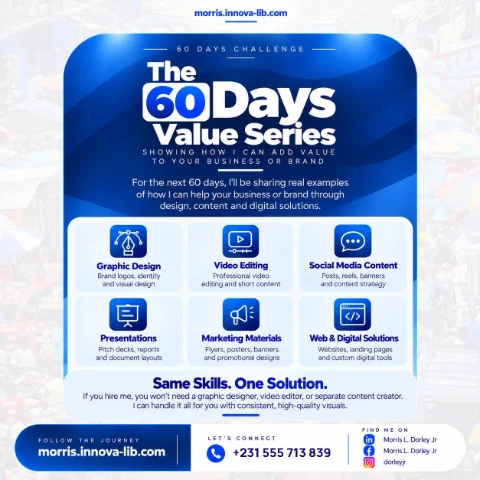

Day 22 of the 60 Days Value Series is about UI and UX design. I design intuitive user flows and clean, modern interfaces that feel effortless to use, balancing how a product looks with how it actually works, so visitors understand it instantly and stick around.

Why do people leave a website or app within seconds?
People rarely leave because a product is missing a feature. They leave because they could not figure out where to click, could not find what they came for, were asked for too much information or simply felt that the product was not made for them. Nobody writes a complaint. They just close the tab or delete the app.
That moment is decided by design. Not decoration, but the way the product is organized, explained and shaped around real people. Good design makes a product feel obvious. You open it, you understand it and you get what you came for with almost no effort. Bad design makes people feel stupid, and they blame themselves, then leave.
This post is for startups, business owners, schools, NGOs, shops and anyone planning a website, a mobile app or a digital system and asking, "How do I make this easy and attractive for the people who will use it, and who can design it?" If you are searching for a UI/UX designer in Liberia or app design in Monrovia, this is for you.
What is UI and UX design in plain language?
UX stands for user experience. It is everything about how a product works and feels: the steps a person takes, how clear each screen is, how easy it is to recover from a mistake. UI stands for user interface. It is how the product looks: the layout, colors, fonts, buttons and images.
An easy way to remember the difference is a house. UX is the floor plan: where the doors are, how you move from room to room, whether the kitchen is where you expect it. UI is the paint, furniture and lighting. A beautiful house with a confusing floor plan is frustrating to live in. A great floor plan with no care for how it looks is not inviting. A good product needs both.
Thoughtful structure first, beautiful surface second. A design that works as well as it looks keeps visitors, builds trust and costs less to build, because the problems are solved on screen before they are coded.
What does the UI/UX design service include?
The service covers the journey from the first sketch to a polished interface that is ready for development.
1. User flows
Clear paths that help people accomplish what they came to do. A user flow maps the steps for each important task: signing up, searching, booking, paying, getting help. Looking at the whole path shows where people might get stuck, where steps can be removed and where extra guidance is needed. Fewer, clearer steps mean more people finish what they started.
2. Wireframes
Structure and layout mapped before visuals, so decisions are grounded. A wireframe is a simple black-and-white plan of each key screen. Because there is no color or decoration to distract, we focus on what matters: what goes on the screen, in what order and with what priority. Changes at this stage take minutes, not days.
3. Visual design
Modern, on-brand interfaces with considered color, type and spacing. Visual design gives the structure its personality. Colors are chosen for contrast and meaning, fonts for clarity, spacing for rhythm. The result looks professional and unmistakably yours, and builds on the brand identity work covered in Day 1 on graphic design.
4. Design systems
Consistent components and styles that scale across your product. A design system is the library of buttons, forms, cards, colors and rules used throughout. It means every new screen looks like it belongs, and developers can reuse parts instead of reinventing them. It also makes future changes quick and safe.
5. Usability
Interfaces tested for clarity so users never feel lost. Usability means checking the design against real behavior: can a new person complete the main task without help? Is the text readable on a small phone? Are the buttons big enough to tap? Are errors explained in plain language? Problems found here are far cheaper to fix than after launch.
6. Prototypes
Interactive previews so you can feel the product before it is built. A prototype lets you click through the screens as if the product already existed. You can share it with colleagues, customers or investors, collect feedback and make decisions with confidence, long before development starts. The prototype then becomes a clear guide for the developer, as in Day 18 on frontend development.
Which tools are behind the work?
I design in Figma, the leading tool for interface design, and work with wireframing, prototyping, design systems and careful color and type choices. You receive well-organized design files that developers can use directly, with assets prepared for the build.
Who is this service for?
- Startups. Teams who need a clear, attractive first version of their product.
- Business owners. People planning a new website, booking system or customer portal.
- Schools and training centers. Organizations designing portals for students and parents.
- NGOs and organizations. Groups who need accessible, understandable tools for their communities.
- Companies with an unclear product. Teams whose users are confused and drop off.
- Teams with developers but no designer. Builders who need a clear plan to work from.
- Mobile app creators. Founders planning an app, as in Day 11 on mobile app development.
Why do so many digital products frustrate their users?
- Designed for the owner, not the user. The product follows the organization's structure instead of the user's needs.
- Too many steps. Long forms and extra screens make people give up.
- Unclear labels. Buttons and menus use words that users do not understand.
- Everything looks equally important. Nothing guides the eye to the main action.
- Not designed for phones. Tiny text and cramped buttons on small screens.
- Inconsistent design. Each page looks and behaves differently.
- No testing. The first real users discover the problems after launch.
- Design added at the end. Visuals are painted over a confusing structure.
Starting with user flows and wireframes, testing early and building a consistent system addresses each of these from the beginning.
How does one person who does it all save you money?
On a typical project, one person researches, another designs the screens, another builds a prototype and another develops the product. Every handover loses detail, and developers often have to guess what the designer meant.
With one person, you get:
- One vision. The flows, the screens and the build all come from the same understanding.
- Designs that can be built. Because I also write the code, I know what is realistic and efficient, and I do not design things that are costly for no reason.
- A smooth handover. No lost details between design and development.
- Less rework. Problems are solved on screen, where changes are cheap.
- Clear pricing. One scope and one quote.
This is the idea behind the whole 60 Days Value Series: the same skills, one solution, applied to the part of your business you are looking at today.
How does design connect to the rest of this series?
Design is where the other skills begin. It starts from the brand foundations in Day 1, shapes websites like the ones in Day 9, guides the mobile apps in Day 11 and the online shops in Day 14, and is turned into working screens in Day 18 and connected to real data in Day 19. A project that follows the plan in Day 17 on project management brings all of these together.
You can also read the service pages for UI and UX design, responsive design and frontend development.
How do you know it is time for a design review?
- Visitors arrive but few complete the main action.
- Users ask the same questions again and again about how to use your product.
- Your product looks older or less professional than your competitors'.
- You are about to build something new and want to avoid expensive mistakes.
- Your team disagrees about how a screen should work.
- Your site or app does not feel good on a phone.
- You want to look as professional as your business really is.
What mistakes should you avoid when designing a product?
- Starting with colors and logos. Start with the user's goals and the flow.
- Trying to say everything on one screen. Give each screen one clear job.
- Copying a competitor without thinking. Their users and goals are not yours.
- Ignoring small screens. Design for the phone first.
- Skipping the prototype. Feeling the product early prevents costly changes later.
- Forgetting accessibility. Make text readable and buttons easy to use for everyone.
- Never asking real users. Even five short conversations reveal the biggest problems.
What affects the price of UI/UX design?
- The number of screens and flows.
- How much user research and testing is needed.
- Whether you need a complete design system.
- How interactive the prototype must be.
- The number of platforms, such as web and mobile.
- The number of review rounds and the timeline.
I would rather give you a clear quote for the right scope than a vague number that changes later. Send me the details and I will explain what is needed and why.
How does it work?
- Understand. I learn your users, goals and brand to ground every decision.
- Structure. I map flows and wireframes for clarity before visuals.
- Design. I craft polished, on-brand screens and a reusable system.
- Prototype. I deliver interactive previews ready to hand to development.
You receive user flows and journey maps, wireframes for key screens, polished UI designs, a reusable design system, an interactive prototype and design assets ready for the build.
Which search terms does this post answer?
- UI/UX designer in Liberia
- app design in Monrovia
- website wireframes and design
- how to design a mobile app
- Figma designer for hire
- design system for a startup
- user flow and prototype design
- improve website usability
- modern interface design for African businesses
- hire a UI/UX designer in Liberia
Ready to design something people enjoy using?
You do not need one person for the research, another for the wireframes, another for the visuals and another to build it. You need one capable person who understands users, design and code, and who will hand you something that works. That is what I offer.
Message me on WhatsApp at +231 555 713 839 or use the contact page, tell me about your product, and I will give you a clear plan and a clear quote. Same skills. One solution.
Frequently asked questions
What is the difference between UI and UX?
UI, or user interface, is how a product looks: colors, type, buttons and layout. UX, or user experience, is how it works and feels to use: the steps, the clarity and the ease. A product needs both, because a beautiful screen that confuses people has failed.
What is a user flow?
A user flow is a map of the steps a person takes to do something, such as creating an account, booking a room or paying for an order. Designing the flow first means every step is clear before anyone draws a screen.
What is a wireframe?
A wireframe is a simple, plain layout of a screen that shows structure and content without colors or decoration. It lets us agree on what goes where, cheaply and quickly, before spending time on visual design.
What is a design system?
A design system is a set of consistent components and styles, such as buttons, forms, colors and fonts, used across a whole product. It keeps everything looking and behaving the same and makes building and changing the product faster.
What is a prototype and why do I need one?
A prototype is an interactive preview of the product that you can click through before anything is built. It lets you and your users feel how it works, find problems early and make changes while they are still cheap.
Which tools do you use?
I design in Figma and use wireframing, prototyping and design-system practices, with careful attention to color and typography. The files I deliver are ready to hand to developers.
Do I need to have a design before I hire a developer?
It is strongly recommended. A clear design means the developer builds the right thing the first time, which saves time and money. Because I do both design and development, the handover is smooth.
How much does UI/UX design cost in Liberia?
The price depends on the number of screens, the amount of research and testing, whether you need a full design system and how interactive the prototype must be. Send your details on WhatsApp at +231 555 713 839 and I will give you a clear quote for the exact scope.
Do you work with clients outside Monrovia and outside Liberia?
Yes. Design work is done online, so I design for clients in Monrovia, across Liberia and across Africa, with reviews and feedback handled remotely.