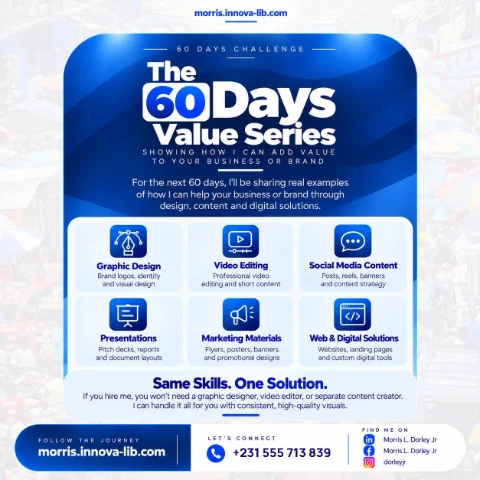

Day 31 of the 60 Days Value Series is about POS and inventory systems. I build the software that records every sale, keeps your stock count correct and shows you what your business earned today, so you run your shop or pharmacy on real numbers instead of a notebook and a guess.

Do you really know what your shop sold today?
At the end of the day, the owner of a busy shop asks three simple questions. How much did we sell? How much cash should be in the drawer? What is about to run out? In many businesses the answers come from a receipt book, a notebook and someone's memory.
The cash is short by a small amount, and nobody can say why. A customer asks for an item the notebook says you have, but the shelf is empty. Another item sits unsold until it expires. You reorder too much of one product and not enough of another. None of this looks like a big loss on any one day, but it repeats every day, and it adds up.
This post is for shop owners, pharmacies, supermarkets, wholesalers, restaurants, hardware stores and anyone asking, "How do I keep track of my sales and stock properly?" If you are searching for a POS system in Liberia or inventory software in Monrovia, this is for you.
What is a POS and inventory system in plain language?
Think of it as a careful assistant who stands at your counter all day and never forgets anything. It does three jobs at the same time:
- It records the sale. The cashier picks the item, the price comes up correctly, and the customer gets a receipt.
- It updates the stock. Every sale reduces the count, and every delivery increases it, so nobody has to count the shelves just to know what you have.
- It tells you what happened. Sales, profit, best sellers and low stock are there when you ask, on any day, for any period.
The real value of a POS system is not the receipt. It is that the money, the stock and your reports finally tell the same story.
What does this look like in real work?
I have built this kind of system for a real business. Lucky Pharmacy in Liberia had sales, stock and transactions in separate places, which cost time and invited errors. I built a unified POS and inventory platform to bring them together. In their words:
"The POS and inventory system Morris built runs our pharmacy end to end, sales, stock, and transactions all in one place. It saves us time every day." Lucky Pharmacy, Liberia
I also built the MFDP Inventory Hub, a secure inventory platform for a government ministry, with real-time stock tracking, suppliers, receipts and audit-ready reports, and Invoicer, an invoicing and billing platform that tracks payments and expenses. You can see these on the case studies page and the projects page.
What does the POS and inventory service include?
The service takes you from a notebook, or from software that does not fit, to a system your whole team can use.
1. Learning how your shop really works
I start by watching how a sale happens from the customer's first question to the cash going in the drawer. How do you buy stock? Who can give a discount? What goes wrong most often? The system should fit your counter, not force your staff to work around it.
2. Sales screen and receipts
The cashier needs a screen that is quick to use when customers are waiting. I build one for fast searching or barcode scanning, correct prices, discounts by your rules, different payment types, and clear receipts with your business name.
3. Stock and inventory
Every product is set up with its price, cost and quantity. Sales and deliveries update the count automatically, and the system warns you when stock runs low. For a pharmacy or a food business, it can also track batches and expiry dates, so items are sold before they spoil.
4. Suppliers and purchases
The system records what you ordered, from whom, at what cost and what actually arrived. You can see what you owe, compare suppliers and reorder based on what really sells, not on a feeling.
5. Staff accounts and accountability
Each person logs in with their own account and sees only what their job needs. Refunds, discounts and stock corrections can require a manager, and they are recorded with a name and a time. You can see who did what without accusing anyone.
6. Reports that answer your questions
Daily sales, profit, best sellers, slow items, stock value and sales by cashier or branch are ready when you need them. I set the reports up around the decisions you make, in line with Day 23 on business data analysis.
7. Several branches and remote access
If you have more than one location, each one can feed into the same system, and you can check on them from your phone. The hosting behind this follows Day 20 on cloud computing.
8. Moving your data, training and support
I bring in your products, prices and current stock, then count and check them with you before going live. I train your staff on the real system and stay available afterward, in line with the maintenance and support service.
What do you gain from a proper POS system?
- A true daily picture. You know what was sold and what should be in the drawer.
- Fewer losses. Differences show up quickly, while they can still be explained.
- Less money stuck on shelves. You buy more of what sells and less of what does not.
- Fewer empty shelves. Low stock warnings arrive before customers walk away.
- Less waste. Expiry tracking helps you sell items in time.
- Faster service. Customers spend less time waiting at the counter.
- Peace of mind away from the shop. You can check your numbers without calling anyone.
Who is this service for?
- Pharmacies. Businesses that must track medicines, batches and expiry dates carefully.
- Supermarkets and mini-marts. Shops with many products and quick sales at the counter.
- Wholesalers and distributors. Businesses managing large quantities, suppliers and credit customers.
- Restaurants and cafes. Teams that need to link orders, sales and ingredients.
- Hardware and auto parts stores. Shops with thousands of small items that are hard to count.
- Fashion and electronics retailers. Stores that need to track sizes, models and serial numbers.
- Organizations with stores. Ministries, NGOs and institutions that must issue supplies and answer audits.
Should you buy ready-made software or have a system built?
I would rather give you an honest answer than sell you something you do not need. Ready-made POS software is often a good choice for a small shop with simple needs. It can be quick to start and has a lower upfront cost. Check the monthly fees in US dollars, whether it works on your internet connection and who helps you locally when something goes wrong.
A system built for you makes sense when:
- You have special pricing, credit or approval rules that ready-made tools cannot follow.
- You run several branches and want them working as one business.
- Your industry has needs such as batches, expiry dates or audit reports.
- You want it connected to your website or online store, as in Day 14 on e-commerce.
- You want to own the system and not depend on a foreign vendor's prices and changes.
If a ready-made tool suits you better, I will say so, and I can help you set it up properly.
How does one person who does it all save you money?
A custom system can involve a business analyst, a developer, a database specialist, a hosting provider, an IT technician for the equipment and a trainer. When a sale does not appear in the report, each one can point to someone else.
With one person, you get:
- One person who understands your shop and the software. Nothing is lost between the person who listens and the person who builds.
- The whole system together. The screens, the database and the full application are built by the same person.
- Security and backups included. Your sales records are protected, in line with Day 21 on cybersecurity.
- Equipment and network help. Printers, scanners and the connection between branches are part of the same conversation, as in Day 13 on networking.
- Clear pricing. One scope and one quote.
How do you know your business needs a POS system?
- The cash in the drawer often does not match what you expected.
- You find out an item has run out only when a customer asks for it.
- Items expire or sit unsold because nobody noticed.
- Counting stock takes days and the shop has to slow down for it.
- You cannot tell which products actually make you money.
- You worry about what happens at the shop when you are away.
- Your month-end numbers take days to put together.
What mistakes should you avoid when choosing a POS system?
- Choosing on price alone. Software your staff avoid or that has no local support costs more in the end.
- Ignoring power and internet problems. Decide what happens during an outage before you need to.
- Starting without a real stock count. If the first numbers are wrong, nobody trusts the reports.
- Sharing one login. When everyone uses the same account, nobody is accountable.
- Skipping staff training. People go back to the notebook when the system feels confusing.
- Having no backups. Your sales history should survive a broken computer.
- Buying equipment first. Confirm that printers and scanners work with the system before you pay.
What affects the price of a POS system?
- How many branches, counters and users you have.
- How many products must be set up and how clean your current records are.
- Whether you need batches, expiry dates, credit customers or special rules.
- Whether it must keep working offline.
- Which reports you need and whether it connects to other systems.
- What equipment you need, and whether you want ongoing support.
I would rather give you a clear quote for the right scope than a low number that grows later. Tell me how your shop runs today and I will explain what you need, and what you can leave out for now.
How does it work?
- Visit and listen. I learn how your sales, stock and reports work today, and where you lose time or money.
- Plan. We agree on the features, equipment and budget, and on whether to buy or build.
- Build and test. I build the system in stages, with your real products and prices, and test it on your equipment.
- Count, train and go live. We count the stock, train your team and start, with me on hand for the first days.
You receive a sales screen with receipts, automatic stock tracking, low stock warnings, supplier and purchase records, staff accounts, the reports you need, backups and training for your team. You can also read the database development service page and the full-stack development service page.
Which search terms does this post answer?
- POS system in Liberia
- point of sale software in Monrovia
- inventory management system in Liberia
- pharmacy POS software in Liberia
- how to track sales and stock in a shop
- supermarket POS system in Liberia
- stock control software in Africa
- ready-made or custom POS software
- how to reduce stock losses in a shop
- hire a POS developer in Liberia
Ready to know exactly what your business sold today?
You do not need one company for the software, another for the database, another for the equipment and another for support, with you in the middle when the numbers do not match. You need one capable person who understands your counter and builds the whole system around it. That is what I offer.
Message me on WhatsApp at +231 555 713 839 or use the contact page, tell me how you track your sales and stock today, and I will give you a clear plan and a clear quote. Same skills. One solution.
Frequently asked questions
What is a POS system?
POS stands for point of sale. It is the system your cashier uses to record each sale and give a receipt. A good one also reduces your stock automatically and shows you sales reports, so the till, the shelves and your numbers all agree.
What is the difference between a POS system and an inventory system?
A POS system records what you sell. An inventory system tracks what you have, what you bought and from whom. They are most useful together, because each sale then updates your stock without anyone counting it by hand.
Should I buy ready-made POS software or have one built?
If ready-made software fits the way you work and you can get local support, it may be the cheaper choice, and I will tell you so. A custom system makes sense when you have special rules, several branches, or a process that ready-made tools keep getting in the way of.
Have you built a POS system before?
Yes. I built a pharmacy POS and inventory platform that is used by Lucky Pharmacy in Liberia for sales, stock and transactions. You can read about it on my case studies page, along with an inventory platform built for a government ministry.
Can it print receipts and scan barcodes?
Yes, a POS system can be set up for receipt printing and barcode scanning. I confirm which printer and scanner you have or plan to buy before building, and test them with the system so they work on your counter, not just in theory.
What happens when the internet or power goes off?
This is a real question in Liberia, so we plan for it from the start. Depending on your shop, the options can include a system that keeps working offline and syncs later, a backup connection, and a simple written procedure for your staff. I will explain what each option costs and what it protects.
Can I see my sales when I am not at the shop?
Yes, when the system is hosted online. You can log in from your phone or laptop and see sales, stock and reports for one branch or several, without waiting for someone to send you the numbers.
Can it stop staff from changing sales or stock?
It can limit it. Each person gets their own login, cashiers see only what they need, and changes such as refunds, discounts and stock corrections can require a manager and be recorded with a name and time. No software removes all risk, but this makes problems much easier to see.
How much does a POS system cost in Liberia?
The price depends on your number of branches and users, how many products must be set up, whether you need offline use or special reports, and what equipment you need. Tell me how your shop works today and I will give you a clear quote.
Do you work with clients outside Monrovia and outside Liberia?
Yes. Most of the building, setup and support can be done online, so I work with clients in Monrovia, across Liberia and in other African countries. Equipment setup and staff training are planned around where you are.